
合并注释标签#
在这个笔记本中,我们演示如何通过注释应该合并的标签来对标签图像进行后处理。
import apoc
from skimage.io import imread, imshow, imsave
import pyclesperanto_prototype as cle
import numpy as np
我们的起点是一个过度分割的(合成的)标签图像。
oversegmented = cle.asarray(imread('../../data/syntetic_cells.tif')).astype(np.uint32)
oversegmented

|
cle._ image
|
此外,我们需要一个注释,其中像素强度 = 1 表示应该合并标签。
annotation = cle.asarray(imread('../../data/syntetic_cells_merge_annotation.tif')).astype(np.uint32)

# binarize the image
annotation = annotation == 1

annotation

|
cle._ image

|
为了可视化,我们将两者叠加。
cle.imshow(oversegmented, labels=True, continue_drawing=True)
cle.imshow(annotation, alpha=0.5)
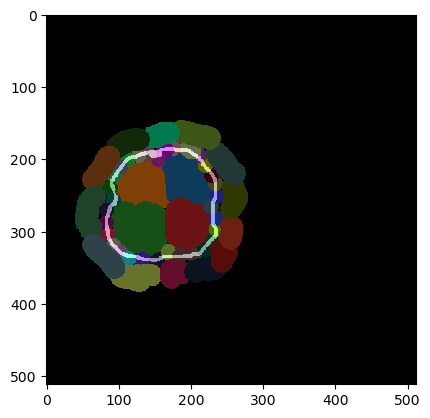
现在我们可以合并所有边界被注释的细胞。
result = cle.merge_annotated_touching_labels(oversegmented, annotation)
result

|
cle._ image
|
它是如何工作的?#
在底层,有一个函数用于从标签图像和注释生成接触矩阵,还有一个函数用于根据接触矩阵合并标签。
should_touch_matrix = cle.generate_should_touch_matrix(oversegmented, annotation)
should_touch_matrix

|
cle._ image

|
result = cle.merge_labels_according_to_touch_matrix(oversegmented, should_touch_matrix)
result
|
|
cle._ image
|