
打开图像数据#
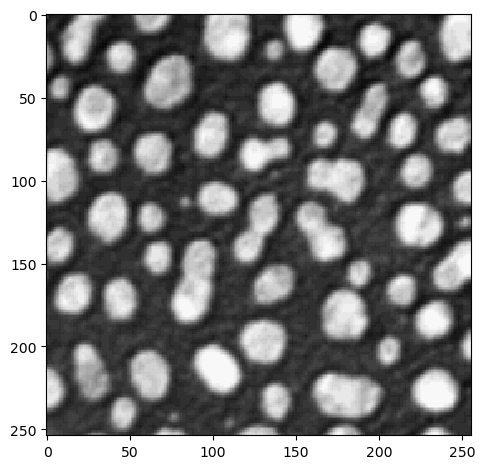
打开图像数据的首选库是scikit-image库。它提供了两个函数,imread和imshow,用于读取和可视化图像数据。它可以处理各种文件格式,如.tif。如果它无法正确打开你的图像数据,你需要寻找定制的解决方案。
from skimage.io import imread, imshow
import numpy as np
image = imread('../../data/blobs.tif')
image.shape
(254, 256)
imshow(image)
<matplotlib.image.AxesImage at 0x196702bc280>
读取元数据#
在处理显微镜图像数据时,尊重图像数据的体素大小非常重要。特别是当需要以立方微米计算体积时,了解X、Y和Z方向上体素的大小是关键。
filename = "../../data/EM_C_6_c0.tif"

image_3d = imread(filename)
image_3d.shape
(256, 256, 256)
以下辅助函数是为ImageJ Tif图像编写的。它允许我们从TIF文件的元数据中读取体素大小。源码。
def get_voxel_size_from_imagej_tiff(filename):
    """ Opens the metadata of a tiff file and returns the voxels size as (z,y,x)"""
    from PIL import Image
    from PIL.ExifTags import TAGS

    # format the meta data so that we can read it easily
    with Image.open(filename) as img:
        meta_dict = {}
        for key in img.tag.keys():
            if key in TAGS.keys():
                meta_dict[TAGS[key]] = img.tag[key]

    # read out voxel size from meta data
    z = [w[8:] for w in meta_dict['ImageDescription'][0].split("\n") if w.startswith('spacing')]
    x = 1/ (meta_dict["XResolution"][0][0]/meta_dict["XResolution"][0][1])
    y = 1/ (meta_dict["YResolution"][0][0]/meta_dict["YResolution"][0][1])

    return float(z[0]), float("%.4f" % y), float("%.4f" % x)
get_voxel_size_from_imagej_tiff(filename)
(0.16784672897196262, 0.1678, 0.1678)