高斯除法#
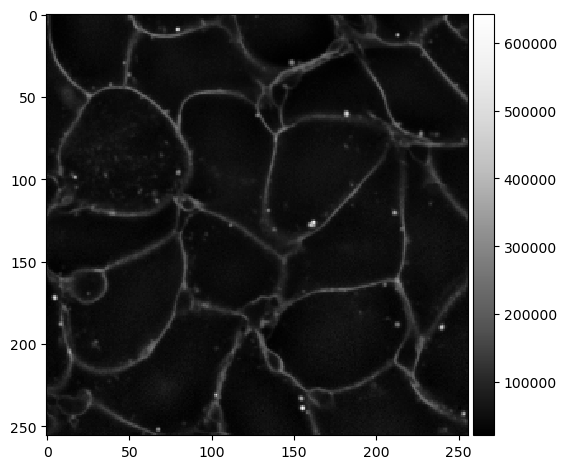
在处理具有膜染色的图像时,有时会发生膜的强度不均匀并在局部发生变化的情况。这种强度变化可能会影响细胞分割算法。在这些情况下,通过将图像除以其高斯模糊版本来均匀化强度可能是有意义的。
import pyclesperanto_prototype as cle
from skimage.io import imread, imshow
from skimage.filters import gaussian
在这张图像中,你可以看到膜的强度从上到下逐渐减弱。
image = imread('../../data/membranes_2d.tif')
cle.asarray(image)

|
cle._ image

|
这种强度梯度可以通过将图像除以其背景(即其高斯模糊版本)来消除。
intensity_equivalized = cle.divide_by_gaussian_background(image, sigma_x=10, sigma_y=10)
intensity_equivalized

|
cle._ image

|
工作原理#
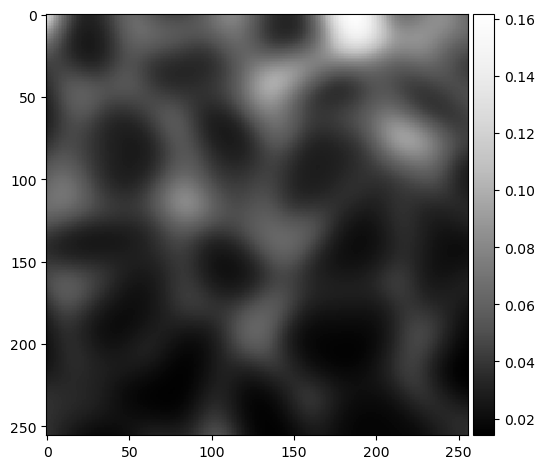
为了展示其工作原理,我们将使用scikit-image和numpy通过两个步骤执行相同的操作。
background = gaussian(image, sigma=10)
imshow(background, cmap="Greys_r")
C:\Users\haase\mambaforge\envs\bio39\lib\site-packages\skimage\io\_plugins\matplotlib_plugin.py:150: UserWarning: Low image data range; displaying image with stretched contrast.
  lo, hi, cmap = _get_display_range(image)
<matplotlib.image.AxesImage at 0x1aa03625160>
result = image / background
imshow(result, cmap="Greys_r")
C:\Users\haase\mambaforge\envs\bio39\lib\site-packages\skimage\io\_plugins\matplotlib_plugin.py:150: UserWarning: Float image out of standard range; displaying image with stretched contrast.
  lo, hi, cmap = _get_display_range(image)
<matplotlib.image.AxesImage at 0x1aa0350d580>