边缘检测#
在clesperanto中,实现了多种边缘检测滤波器。
另请参阅
import pyclesperanto_prototype as cle
from skimage.io import imread
import matplotlib.pyplot as plt

cle.select_device("RTX")
<gfx90c on Platform: AMD Accelerated Parallel Processing (2 refs)>
blobs = imread("../../data/blobs.tif")
blobs.shape
(254, 256)
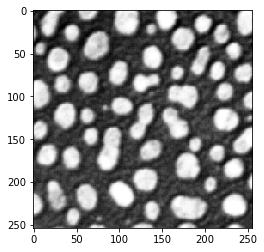
cle.imshow(blobs)
Sobel算子#
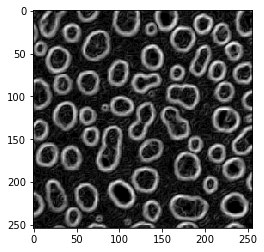
blobs_sobel = cle.sobel(blobs)
cle.imshow(blobs_sobel)
拉普拉斯算子#
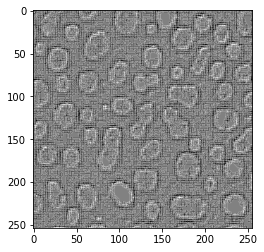
blobs_laplace = cle.laplace_box(blobs)
cle.imshow(blobs_laplace)
高斯拉普拉斯算子#
blobs_laplacian_of_gaussian = cle.laplace_box(cle.gaussian_blur(blobs, sigma_x=1, sigma_y=1))
cle.imshow(blobs_laplacian_of_gaussian)
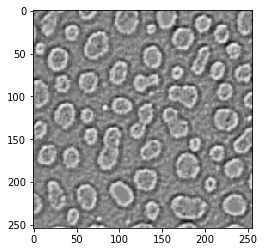
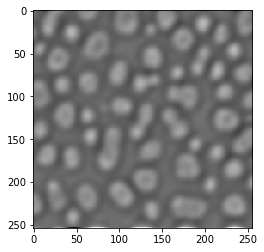
blobs_laplacian_of_gaussian = cle.laplace_box(cle.gaussian_blur(blobs, sigma_x=5, sigma_y=5))
cle.imshow(blobs_laplacian_of_gaussian)
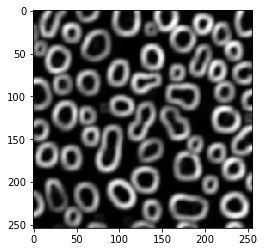
局部方差滤波器#
blobs_edges = cle.variance_box(blobs, radius_x=5, radius_y=5)
cle.imshow(blobs_edges)
局部标准差#
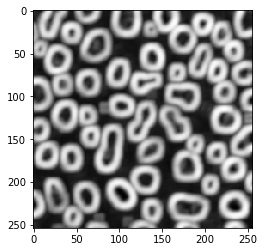
…只是局部方差的平方根
blobs_edges = cle.standard_deviation_box(blobs, radius_x=5, radius_y=5)
cle.imshow(blobs_edges)
边缘检测不等同于边缘增强#
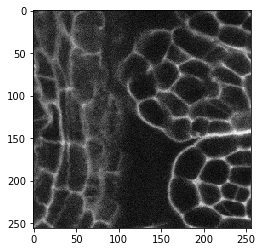
直观上,人们可能会应用边缘检测滤波器来增强显示边缘的图像中的边缘。让我们尝试对一张显示膜的图像进行处理。顺便说一下,这是一张3D图像。
image = imread("../../data/EM_C_6_c0.tif")
image.shape
(256, 256, 256)
cle.imshow(image[60])
image_sobel = cle.sobel(image)
cle.imshow(image_sobel[60])
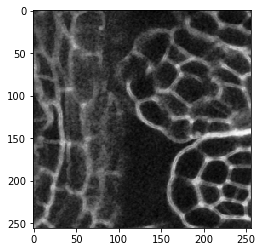
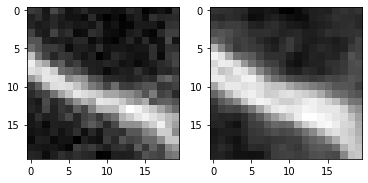
仔细观察,你可能会发现第二张图像中的边缘稍微厚一些。边缘检测滤波器检测到两个边缘,即膜的信号增加侧和对侧信号减少侧。让我们放大看看:
fig, axs = plt.subplots(1, 2)
cle.imshow(                image[60, 125:145, 135:155], plot=axs[0])
cle.imshow(cle.pull(image_sobel)[60, 125:145, 135:155], plot=axs[1])
增强边缘#
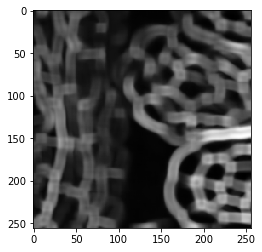
因此,要增强膜图像中的边缘,其他滤波器可能更有用。增强可能意味着使膜变厚并可能填补间隙。
局部标准差#
image_std = cle.standard_deviation_box(image, radius_x=5, radius_y=5, radius_z=5)
cle.imshow(image_std[60])
局部最大值#
image_max = cle.maximum_box(image, radius_x=5, radius_y=5, radius_z=5)
cle.imshow(image_max[60])