图像拼接
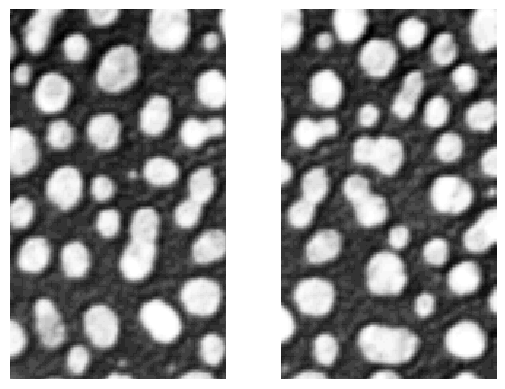
在本笔记本中,我们将演示如何拼接图像。当图像以[重叠的]瓦片方式获取时,通常需要进行拼接。垂直或水平组合这些瓦片称为拼接。
获取图像后,你通常会知道图像重叠的程度。这里我们假设重叠是以像素数给出的。如果你只知道重叠的百分比,你需要将百分比乘以图像大小(宽度或高度)来计算这个数字。
请注意,这些图像包含一些重叠的像素。如果我们只是将图像并排组合,我们会看到这些像素出现两次。

|
cle._ image
| shape | (254, 296) |
| dtype | float32 |
| size | 293.7 kB |
| min | 8.0 | | max | 248.0 |

|
Pyclesperanto允许拼接带有重叠的图像。重叠区域将进行线性混合。

|
cle._ image
| shape | (254, 256) |
| dtype | float32 |
| size | 254.0 kB |
| min | 8.0 | | max | 248.00002 |

|
为了演示线性混合是如何工作的,我们创建两个合成图像。首先我们按上面所示的方式组合它们。

|
cle._ image
| shape | (100, 200) |
| dtype | float32 |
| size | 78.1 kB |
| min | 1.0 | | max | 2.0 |

|
然后我们使用线性混合拼接图像。

|
cle._ image
| shape | (100, 170) |
| dtype | float32 |
| size | 66.4 kB |
| min | 1.0 | | max | 2.0 |

|
注意:计算最佳重叠图像的配准参数目前在pyclesperanto中还不支持。