
Apertura de datos de imagen#
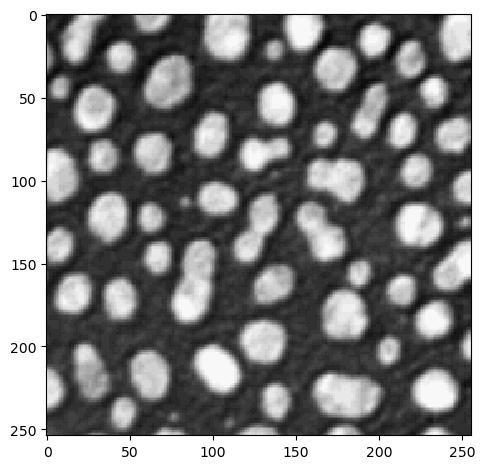
La primera biblioteca a la que se recurre para abrir datos de imagen es la biblioteca scikit-image. Viene con dos funciones, imread e imshow para leer y visualizar datos de imagen. Procesa varios formatos de archivo como .tif. Si no logra abrir tus datos de imagen correctamente, necesitas buscar soluciones personalizadas.
from skimage.io import imread, imshow
import numpy as np
image = imread('../../data/blobs.tif')
image.shape
(254, 256)
imshow(image)
<matplotlib.image.AxesImage at 0x196702bc280>
Lectura de metadatos#
Al procesar datos de imágenes de microscopía, es bastante importante respetar el tamaño de vóxel de los datos de imagen. En particular, cuando los volúmenes deben calcularse en micras cúbicas, es fundamental saber cuán grande es un vóxel en X, Y y Z.
filename = "../../data/EM_C_6_c0.tif"

image_3d = imread(filename)
image_3d.shape
(256, 256, 256)
La siguiente función auxiliar fue escrita para imágenes Tif de ImageJ. Nos permite leer el tamaño del vóxel de los metadatos del archivo TIF. Fuente.
def get_voxel_size_from_imagej_tiff(filename):
    """ Opens the metadata of a tiff file and returns the voxels size as (z,y,x)"""
    from PIL import Image
    from PIL.ExifTags import TAGS

    # format the meta data so that we can read it easily
    with Image.open(filename) as img:
        meta_dict = {}
        for key in img.tag.keys():
            if key in TAGS.keys():
                meta_dict[TAGS[key]] = img.tag[key]

    # read out voxel size from meta data
    z = [w[8:] for w in meta_dict['ImageDescription'][0].split("\n") if w.startswith('spacing')]
    x = 1/ (meta_dict["XResolution"][0][0]/meta_dict["XResolution"][0][1])
    y = 1/ (meta_dict["YResolution"][0][0]/meta_dict["YResolution"][0][1])

    return float(z[0]), float("%.4f" % y), float("%.4f" % x)
get_voxel_size_from_imagej_tiff(filename)
(0.16784672897196262, 0.1678, 0.1678)